# next-date-picker
日期选择组件
有四种模式:
1. 简单的年月日弹窗选择(mode="simple")
2. 日历弹窗选择多个日期(多选)(mode="multiple")
3. 日历弹窗选择单个日期(单选)(mode="single")
3. 日历弹窗选择区间日期(区间)(mode="range")
> 遇到问题或有建议可以加入QQ群(455948571)反馈
> 如果觉得组件不错,给五星鼓励鼓励咯!
>
### 如果有使用问题请加群
注意:如果插件问题,请务必给一个完整的复现demo,谢谢配合;
[点击链接加入群聊前端开发(uniapp插件)】](https://qm.qq.com/q/S1bJzQfJAG)
### 预览
***
| 功能预览 | 区间选择模式 |
| :---------------------------------------------------------------------: | :-------------------------------------------------------------------------:|
| 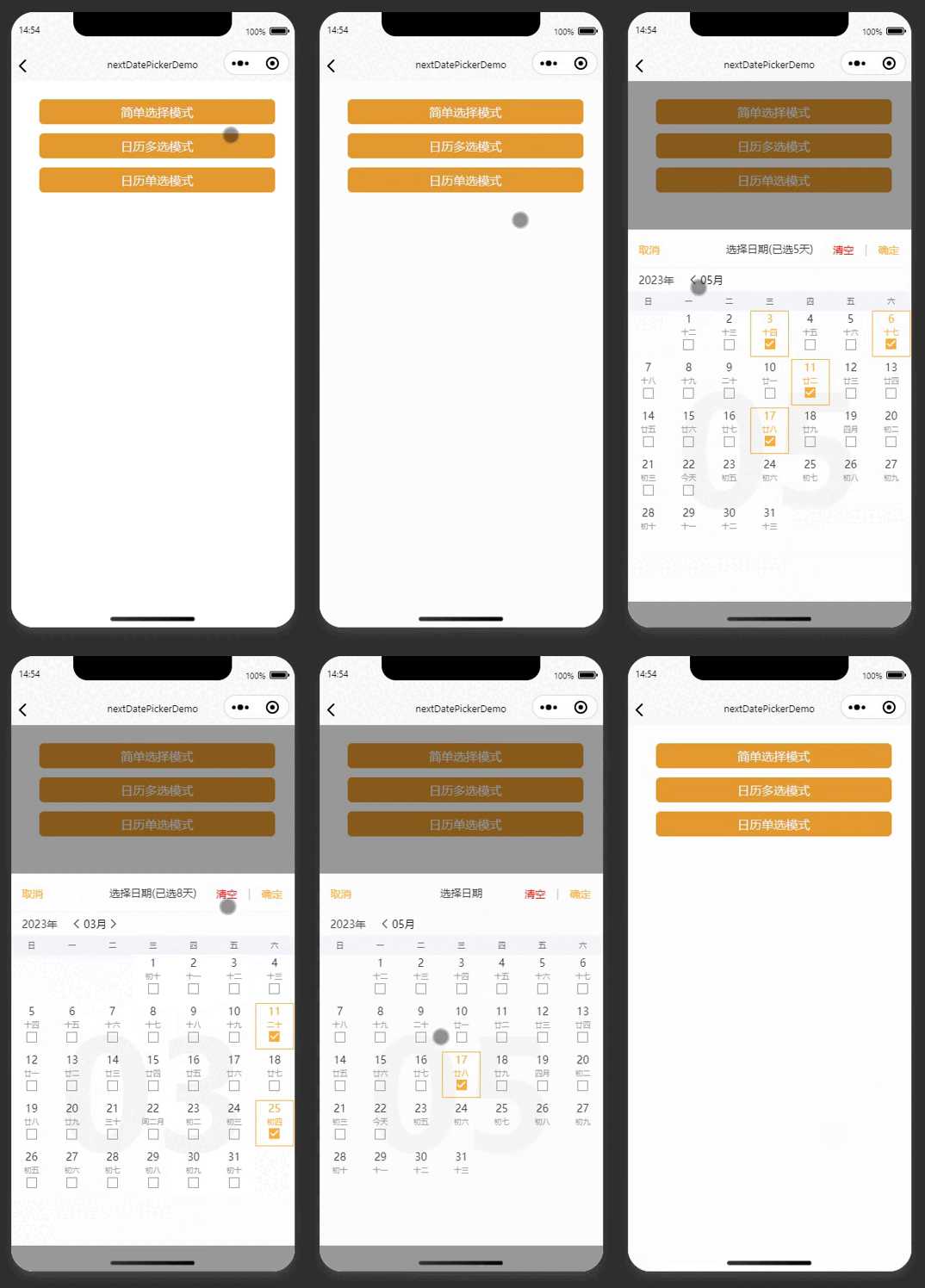 |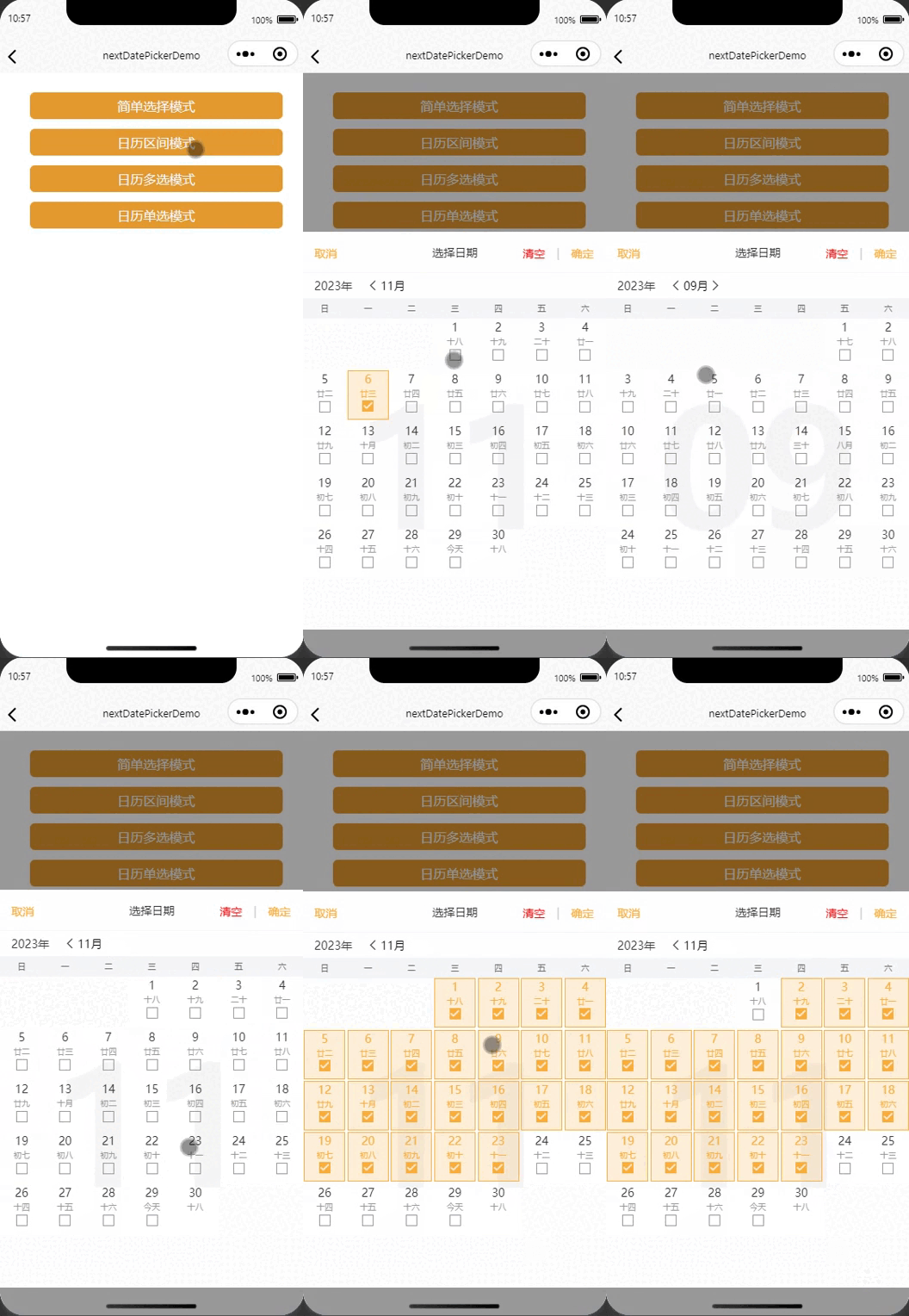 |
## 依赖插件
1. [uni-popup](https://ext.dcloud.net.cn/plugin?id=329)
2. [uni-icons](https://ext.dcloud.net.cn/plugin?id=28)
## 参数
可选参数属性列表
|参数名 |说明 |类型 |是否必填 |默认值 |可选值 |
|---- |---- |---- |---- |---- |---- |
|checkedToady |是否默认选中今日,仅(mode="multiple" 或 mode="single")模式生效 |Boolean|否 |false |true |
defaultCheckedList|默认选中的日期,仅(mode="multiple" 或 mode="single")模式生效 |Array |是 |[] |- |
isAbleSelectFutureDate|是否可以选择未来日期,仅(mode="multiple" 或 mode="single")模式生效 |Boolean|否 |true |false |
showMonthOnCenter|是否在日历中间显示大大的月份数字,仅(mode="multiple" 或 mode="single")模式生效 |Boolean|否 |true |false |
title|日期弹窗的标题|'选择日期' |String |否 |选择日期 |- |
startDate|(mode="single")简单模式下的开始日期| '1971-01-01' |String |否 |'' |- |
endDate|(mode="single")简单模式下的结束日期| '2099-12-31' |String |否 |'' |- |
defaultDate|(mode="single")简单模式下的默认日期| 今日的日期 |String |否 |'' |- |
themeColor|组件的主题色,包含选择时的颜色,以及常见文字按钮颜色|'#f9ae3d' |String |否 |'#f9ae3d'|- |
mode|组件的模式|mode="multiple"(多选),mode="single"(单选),mode="simple"(简单),mode="range"(区间) |String |否 |'simple' |- |
## Event 事件
|事件名 |说明 |类型 |回调参数 |
|---- |---- |---- |---- |
|finishSelectDate|菜单收起时返回的筛选结果(例如:['2023-03-11']) |emit |array |
## Slot 插槽
|名称 |说明 |参数 |
|---- |---- |---- |
|title |title标题栏插槽 |data: {checkedList}(当前选中的数据checkedList) |
## 示例代码vue3
```
简单选择模式
日历区间模式
日历多选模式
日历单选模式
```